
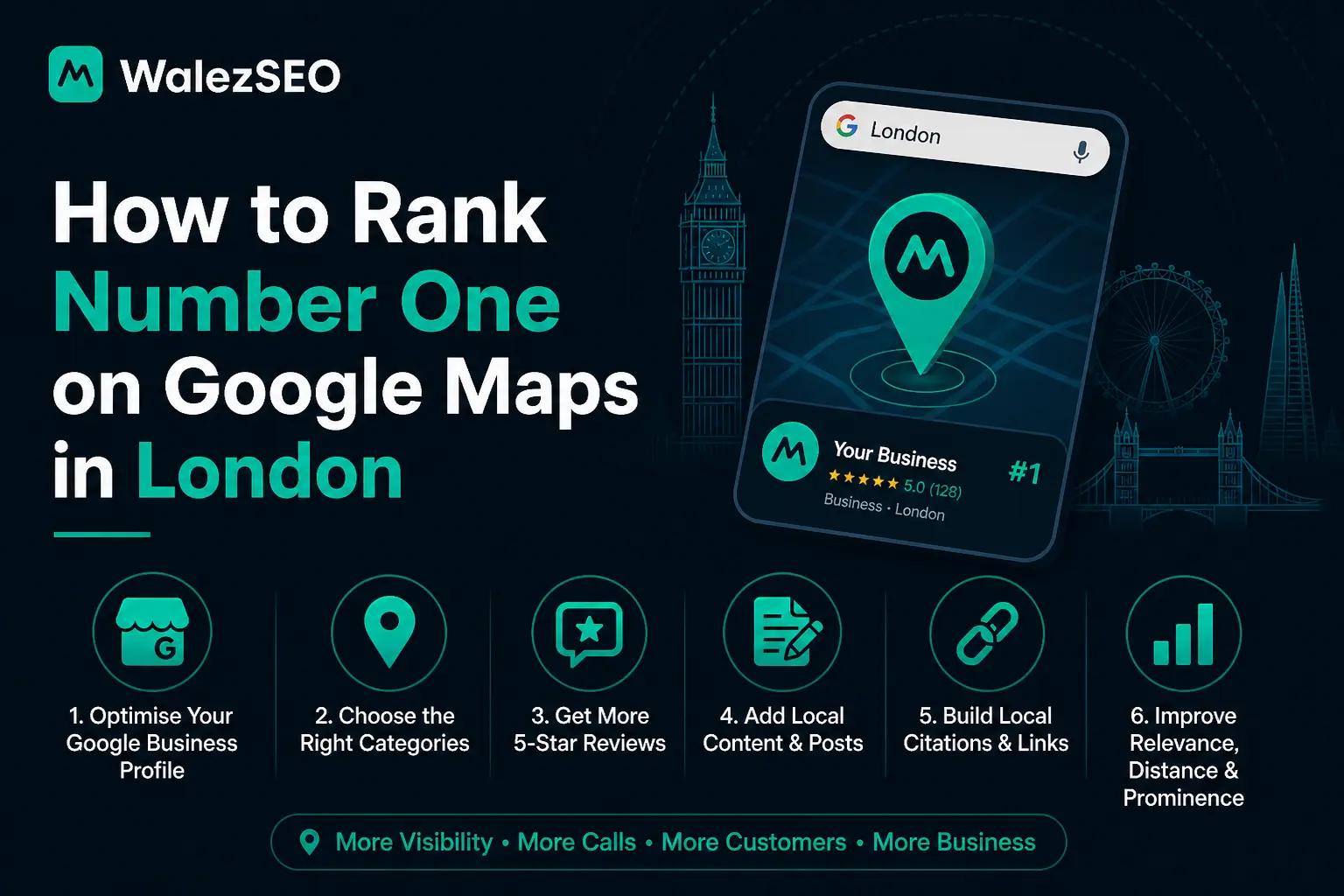
You may feel stuck when your business does not appear on Google Maps in London. You see competitors getting calls while your phone stays quiet. This is common for many local businesses. The good news is that you can fix it with the right local SEO steps.
When your Google Business Profile is optimized, your visibility improves and real customers start finding you. This guide will show you simple and practical methods to reach top positions on local map results. No confusion. No complex terms. Just clear steps that work in real situations.
How Google Determines Local Rankings (Proximity, Relevance, Prominence)
When it comes to ranking on Google Maps in London, Google uses three main factors to decide which businesses appear in the top local results: proximity, relevance, and prominence. Understanding these factors can help you optimize your strategy and improve your chances of appearing in the local map pack using tools like Google Business Profile.
Proximity refers to how close your business is to the person searching. If someone searches for a service “near me” or within a specific London area, Google prioritises businesses that are physically closer to that location. While you cannot control where the searcher is, you can improve your chances by clearly defining your service areas and ensuring your business address is accurate.
Relevance is about how well your business matches what the user is searching for. Google looks at your business category, description, services, and keywords to determine if your listing fits the search intent. To improve relevance, you should choose the correct primary category, add detailed services, and naturally include keywords like your service and location (e.g., “plumber in London”) in your profile and website.
Prominence measures how well-known and trusted your business is, both online and offline. This includes factors such as customer reviews, ratings, backlinks, and mentions across the web. Businesses with strong reputations and consistent activity tend to rank higher. To build prominence, focus on getting genuine reviews, responding to customers, and maintaining consistent business information across directories.
By improving these three areas proximity, relevance, and prominence you can significantly increase your visibility on Google Maps and move closer to ranking in the top results in London.
Understanding Google Maps Ranking in London
Ranking on Google Maps depends on local relevance, trust, and activity. The system looks at your profile strength and customer signals. A strong presence in Google Maps improves your chance of showing in the top three map results.
Key ranking factors include
Accurate business details
Customer reviews and ratings
Local keyword relevance
Consistent business information across the web
Step by Step Method to Improve Your Ranking
Start by claiming and verifying your Google Business Profile. Use real business information only. Add your main service and location naturally in the description.
Next, upload clear photos of your work, team, and location. Businesses with photos get more engagement. Then focus on reviews. Ask happy customers to leave simple and honest feedback. Reply to every review in a polite way.
Keep your profile active. Post updates, offers, and services regularly. Activity signals trust to Google.
On Page and Off Page Local Signals
On page signals include your website content, location pages, and service keywords. Your website must clearly mention London and your service area.
Off page signals include backlinks, local citations, and directory listings. Make sure your business name, address, and phone number stay the same everywhere. Consistency builds trust.
How to Get More Google Reviews in London
Getting more reviews is one of the most powerful ways to improve your ranking on Google Maps in London. Reviews not only build trust with potential customers but also act as a strong ranking signal in Google Business Profile. Businesses with consistent, high-quality reviews are more likely to appear in the top local results and attract more clicks, calls, and visits.
The best way to get more reviews is to simply ask satisfied customers at the right time. After completing a service or sale, politely request feedback while the experience is still fresh. You can do this in person, through WhatsApp, email, or SMS. Make the process easy by sharing your direct review link so customers don’t have to search for your business.
It’s also important to respond to every review, whether positive or negative. Thank customers for their feedback and address any concerns professionally. This shows that your business is active and trustworthy, which improves both customer confidence and your local ranking signals.
Another effective strategy is to create a review system. For example, you can:
- Add a review request message in your invoices or receipts
- Place a QR code in your shop or office
- Train your staff to ask for reviews naturally
However, avoid fake or paid reviews. Google can detect unnatural activity, and it may harm your ranking instead of helping it. Always focus on genuine feedback from real customers.
Consistency is key. Instead of getting many reviews at once and then stopping, aim for a steady flow of new reviews over time. This ongoing activity signals to Google that your business is active and reliable.
By building a strong review profile, you not only improve your Google Maps rankings but also increase trust, which directly leads to more customers choosing your business in a competitive city like London.
Google Maps Ranking Checklist
If you want to rank higher on Google Maps in London, you need to make sure all key local SEO factors are properly optimised. This checklist will help you quickly review whether your business is on the right track using Google Business Profile.
Start with your Google Business Profile basics. Your business name, address, and phone number (NAP) must be accurate and consistent everywhere online. Choose the correct primary category and add all relevant secondary categories. Write a clear, keyword-focused business description that naturally includes your service and location.
Next, ensure your profile is fully completed. Add:
- Business hours
- Services and products
- Service areas (especially London boroughs if applicable)
- High-quality photos of your work, team, and location
A complete profile builds trust and improves your chances of ranking. Focus on reviews and engagement. You should:
- Collect genuine customer reviews regularly
- Maintain a high average rating
- Reply to every review professionally
Reviews are one of the strongest ranking factors in local SEO. Check your website optimization. Your website should:
- Clearly mention your service + London location
- Have dedicated location or service pages
- Be mobile-friendly and fast loading
- Include internal links and relevant content
Then review your local SEO signals. Make sure:
- Your NAP details are consistent across directories
- Your business is listed on UK directories (like Yell, Thomson Local, etc.)
- You have some local backlinks
Also, keep your profile active by:
- Posting updates regularly
- Adding new photos
- Updating services or offers
Finally, monitor your performance. Track:
- Calls and clicks
- Direction requests
- Keyword visibility
If all these elements are properly managed, your chances of ranking in the top 3 Google Maps results in London increase significantly.
Common Mistakes That Stop Ranking Growth
Many businesses use wrong business categories. Some ignore reviews completely. Others have incomplete profiles. These mistakes reduce visibility. Another issue is keyword stuffing. It makes your profile look unnatural. Keep everything simple and real.
Ranking #1 on Google Maps isn’t luck, it’s about optimizing the right signals and building strong local authority. Explore these resources to improve your local visibility:
- Local SEO ranking factors explained
- Affordable local SEO tactics
- How to optimise your Google Business Profile
- International SEO strategies for scaling
FAQ
Why is my business not ranking on Google Maps in London?
If your business is not ranking on Google Maps, it is usually due to weak profile signals such as low reviews, incomplete information, or poor optimisation of your Google Business Profile. Incorrect categories, inconsistent business details, or lack of activity can also reduce your visibility.
How long does it take to rank on Google Maps?
The time it takes to rank on Google Maps depends on your competition, location, and how active your profile is. In most cases, businesses start seeing improvements within a few weeks, while more competitive areas like London may take a few months for stronger results.
Do reviews help Google Maps ranking?
Yes, reviews play a major role in Google Maps rankings. They act as a trust signal for both Google and potential customers. Businesses with more genuine, high-quality reviews and regular responses tend to rank higher and attract more clicks.
Can I rank on Google Maps without a website?
Yes, it is possible to rank without a website by fully optimising your Google Business Profile. However, having a website significantly increases trust, improves authority, and helps with long-term ranking stability.
What is the fastest way to improve Google Maps ranking?
The fastest way to improve your ranking is to optimize your Google Business Profile, ensure your business details are accurate, collect regular customer reviews, and stay active by posting updates. Consistency and genuine engagement are key to faster results.