
Many website owners struggle with poor rankings even after publishing quality content. In most cases, the issue is not the content itself but hidden technical SEO problems that exist in the background.
This is where Google Search Console becomes a powerful and completely free tool. It helps you understand how Google views your website, which pages are being indexed, and which ones are being ignored.
Many people avoid technical SEO because they believe it is complicated. However, if you follow a clear step-by-step approach, you can easily:
- Identify indexing issues
- Fix crawl errors
- Improve overall website performance
In this guide, you will learn how to use Google Search Console to perform a complete technical SEO audit—without relying on any paid tools.
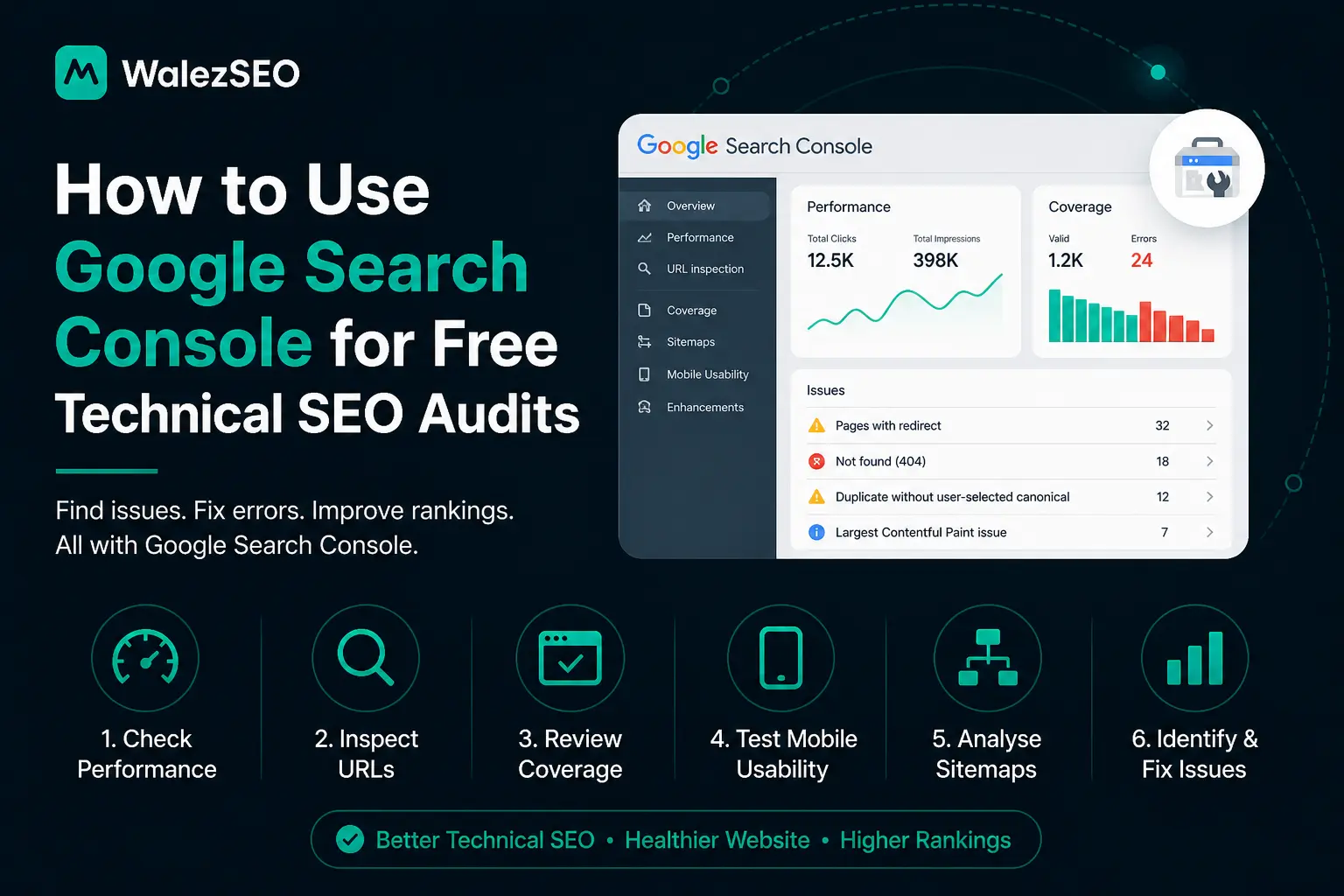
How to Use Google Search Console for Free Technical SEO Audits
Start by verifying your website inside Google Search Console. This connects your site with Google systems like Googlebot.
Once connected, focus on the Indexing section. This shows which pages are visible in search results. If pages are missing, Google is not indexing them properly.
Next, check the Performance report. It shows clicks, impressions, and keywords. This helps you understand how users find your site.
Then open the URL Inspection tool. It tells you if a page is indexed or blocked. It also shows crawling details in real time.
Finally, review Core Web Vitals. These metrics show loading speed, visual stability, and user experience issues. Fixing them improves rankings and user satisfaction.
Secondary Keyword Variations of Technical SEO Audit with Google Search Console
To rank better, your content should cover multiple variations of the main keyword. This improves semantic relevance and helps Google understand your topic better. Here are useful keyword variations:
- Free technical SEO audit using Google Search Console
- How to do website SEO audit in Google Search Console
- Google Search Console website error checking guide
- Step-by-step SEO audit with Search Console tools
- Fix indexing issues using Google Search Console
- Check website health with Google Search Console free tool
- Technical SEO report using Google Search Console data
- Website crawl errors and indexing fixes guide
Using these variations naturally throughout your content improves your chances of ranking for multiple search queries.
Step by Step Method to Run a Technical SEO Audit
First, open the Coverage or Indexing report. Look for errors like not indexed or crawled but not indexed pages.
Second, use the Pages section to find blocked URLs. Remove unnecessary blocks in robots settings or no index tags.
Third, open the Performance report. Identify pages with high impressions but low clicks. Improve titles and descriptions for those pages.
Fourth, test important URLs using the URL Inspection tool. Request indexing after fixing issues.
Fifth, check Core Web Vitals for mobile and desktop. Improve speed, layout stability, and interaction delays.
Sixth, monitor sitemap status. Make sure all important pages are submitted correctly.
This process gives you a complete technical SEO audit without paid tools.
Why Google Search Console is Enough for Basic SEO Audits
Many people think they need expensive SEO tools. But Google already gives you everything needed for basic audits.
It shows real data from search results. It also shows how Google sees your website. This makes it more accurate than third party tools.
You can find indexing issues, crawling errors, and performance gaps in one place. This helps you fix problems faster and improve rankings naturally.
It also helps you understand user behavior. You can see what keywords bring traffic and what pages need improvement.
How to Fix Crawl Errors in Google Search Console
Fixing crawl errors is an essential part of maintaining a healthy website and improving your search rankings. In Google Search Console, you can find crawl-related issues in the Indexing (Pages) report, where Google highlights pages it cannot access or properly process. These errors can prevent important pages from appearing in search results, so addressing them quickly is crucial.
One of the most common issues is 404 errors, which occur when a page no longer exists or the URL is incorrect. This usually happens due to deleted pages or broken internal links. To fix this, you should either redirect the broken URL to a relevant page using a 301 redirect, update incorrect links, or restore the missing page if it was removed accidentally.
Another frequent problem is server errors (5xx), which happen when your website fails to respond to Google’s crawler. These errors are often caused by poor hosting, server overload, or backend misconfigurations. You can fix them by improving your hosting environment, checking server logs, and reducing heavy scripts or plugins that slow down your site.
Redirect issues are also common and can confuse search engines. These include redirect loops or long redirect chains that make it difficult for Google to reach the final page. The best solution is to use clean, direct 301 redirects and remove unnecessary redirect steps.
Sometimes, pages are unintentionally blocked through the robots.txt file, which stops Google from crawling them. Reviewing and updating your robots.txt settings can help ensure that important pages are accessible and indexable.
Another issue you might see is “crawled but not indexed,” which means Google visited your page but chose not to include it in search results. This usually indicates low-quality or duplicate content. Improving the content, adding internal links, and making the page more useful can help resolve this problem.
After fixing any of these errors, it’s important to verify your changes using the URL Inspection tool in Google Search Console. This allows you to request re-indexing so Google can re-crawl the updated page quickly.
By regularly monitoring and fixing crawl errors, you ensure that your website remains accessible to search engines, which ultimately improves your visibility and overall SEO performance.
How to Improve Click-Through Rate (CTR) Using GSC Data
Improving your click-through rate (CTR) is one of the fastest ways to increase organic traffic without creating new content. Using data from Google Search Console, you can identify exactly where you’re getting impressions but missing clicks and then optimize those pages for better performance.
Start by opening the Performance report in Google Search Console and filtering pages or queries with high impressions but low CTR. These are your biggest opportunities because your content is already visible in search results, but users are not clicking on it.
One of the most effective ways to improve CTR is by optimizing your title tags. Your title should be clear, engaging, and include your main keyword. Adding numbers, power words, or a benefit-driven angle can make your listing stand out. For example, instead of a generic title, make it more compelling by highlighting value or results.
Next, focus on writing better meta descriptions. While meta descriptions don’t directly affect rankings, they strongly influence user behavior. A good meta description should clearly explain what the user will get, include relevant keywords, and create curiosity or urgency that encourages clicks.
Another key strategy is to target low CTR keywords. In GSC, look for keywords where your page ranks on the first page but has a low CTR. Slight improvements in titles and descriptions for these keywords can significantly boost traffic.
You should also ensure that your content matches search intent. If users are searching for a guide, tutorial, or solution, your title and description should reflect that clearly. Misaligned intent often leads to low CTR even if rankings are good.
Additionally, using structured data (schema markup) can enhance your search listings with rich results like FAQs, ratings, or breadcrumbs. These visual enhancements make your result more noticeable and can improve CTR.
Finally, keep testing and updating your pages. SEO is not a one-time task. Regularly review your performance data in Google Search Console and refine your titles and descriptions based on what’s working.
By consistently analyzing and optimizing your CTR using GSC data, you can increase traffic, improve engagement, and get more value from your existing rankings without needing additional content.
Common Technical SEO Issues Found in Google Search Console
When you run a technical SEO audit using Google Search Console, you’ll often discover several issues that can negatively impact your website’s visibility in search results. Understanding these problems is the first step toward fixing them and improving your rankings.
Below are the most common technical SEO issues you may encounter:
1. Pages Not Indexed
One of the most frequent issues is when important pages are not indexed by Google. This means your pages are not appearing in search results at all.
Common reasons include:
- Pages blocked by robots.txt
- Presence of no index tags
- Weak internal linking
- Low-quality or duplicate content
How to fix it:
- Remove unnecessary no index tags
- Improve internal linking
- Ensure the page provides valuable, unique content
- Request indexing using the URL Inspection tool
2. Crawled but Not Indexed
This happens when Google has crawled your page but decided not to include it in the index. It usually indicates a quality or relevance issue.
Possible causes:
- Thin or low-value content
- Duplicate pages
- Poor user experience
How to fix it:
- Improve content depth and usefulness
- Add unique insights or examples
- Strengthen on-page SEO
3. Duplicate Content Issues
Duplicate content confuses search engines and can dilute your rankings. Google may struggle to decide which version of a page to index.
Common causes:
- Multiple URLs with the same content
- URL parameters
- HTTP vs HTTPS versions
How to fix it:
- Use canonical tags
- Redirect duplicate URLs
- Maintain a clean URL structure
4. Server Errors (5xx)
Server errors occur when your website fails to respond properly to Google’s crawler. These errors can prevent pages from being crawled and indexed.
Common reasons:
- Hosting issues
- Server downtime
- Misconfigured server settings
How to fix it:
- Upgrade your hosting if needed
- Monitor server uptime
- Fix backend configuration issues
5. Redirect Errors
Redirect issues can confuse both users and search engines. These include:
- Redirect loops
- Long redirect chains
- Broken redirects
How to fix it:
- Use clean 301 redirects
- Avoid multiple redirect steps
- Regularly audit your redirects
6. Blocked by Robots.txt
Sometimes important pages are accidentally blocked from crawling. This prevents Google from accessing and indexing those pages. How to fix it:
- Review your robots.txt file
- Remove unnecessary disallow rules
- Allow access to important pages
7. Core Web Vitals Issues
Poor Core Web Vitals can hurt both rankings and user experience. Common problems include:
- Slow loading speed
- Layout shifts
- Delayed interaction
How to fix it:
- Optimize images
- Minimize JavaScript
- Improve server response time
Google Search Console gives you powerful data, but to turn that data into rankings, you need the right strategy and support:
- Technical SEO guide for beginners
- How to rank number one on Google Maps London
- Ecommerce SEO services in the UK
- SEO services in Essex
- International SEO services for global growth
FAQ’s
What is Google Search Console used for in SEO audits?
Google Search Console is used to monitor your website’s performance in Google search results. It helps you check which pages are indexed, identify technical issues, and analyse keyword performance. This allows you to understand how your site appears in search and where improvements are needed.
How do I fix indexing issues in Google Search Console?
To fix indexing issues, you can use the URL Inspection tool to review a page’s status, remove any unnecessary noindex tags, improve internal linking, and ensure the content is high-quality and relevant. Once updates are made, you can request indexing so Google can re-crawl the page.
Why is my website not appearing in Google search results?
If your website is not appearing in search results, it is often due to indexing issues, crawl errors, or pages being blocked via robots.txt or noindex tags. It may also happen if your content is new, lacks quality, or does not match user intent.
What is the difference between crawling and indexing in SEO?
Crawling is when Google discovers and scans your web pages, while indexing is when those pages are stored in Google’s database and made eligible to appear in search results. A page must be crawled before it can be indexed.
How often should I check Google Search Console?
It is recommended to check Google Search Console at least once a week. Regular monitoring helps you identify issues early and track performance trends over time.
Can beginners use Google Search Console for SEO?
Yes, Google Search Console is suitable for beginners. It provides clear and useful insights that help you understand and improve your website’s SEO without needing advanced tech.